Your books, in one file, on your own machine.
LedgerDesk is a real double-entry accounting desktop app in the spirit of QuickBooks Desktop — multi-company books, bank reconciliation, and financial reports, running entirely offline. No subscription, no server, no one else holding your data.
Version 1.7.0 · one-time download
A clear read on cash, receivables, and payables the moment it opens.
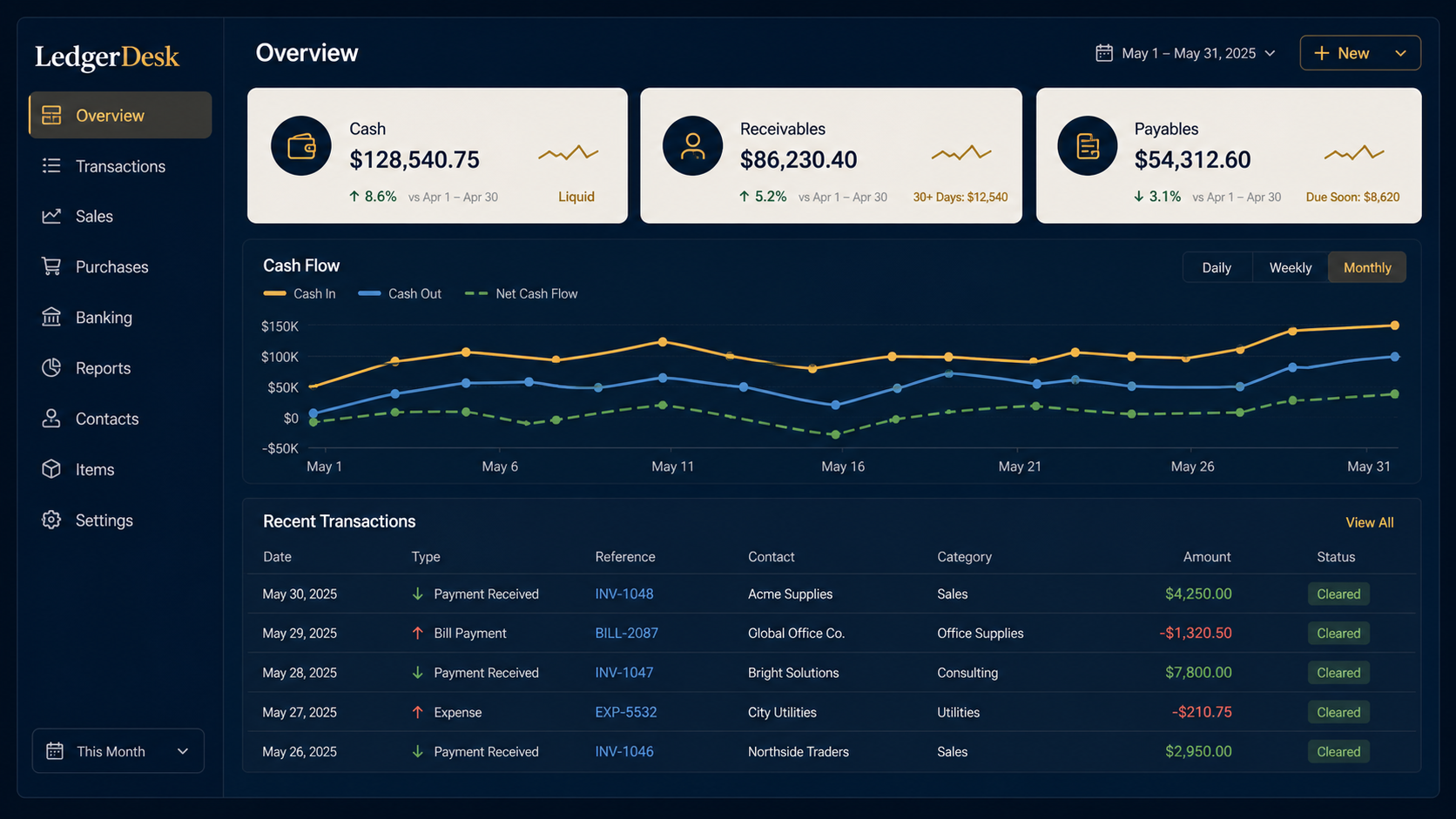
Everything a small business's books need — nothing they don't.
Real double-entry accounting
Every invoice, bill, payment, and bank transaction posts a balanced journal entry against a proper chart of accounts — not a spreadsheet pretending to be one.
One company, one file
Each company keeps its own SQLite file on disk, the way QuickBooks Desktop does it. Move it, back it up, or copy it to another machine — it travels as one file.
Reconciliation & bank rules
Import QFX, OFX, or CSV statements, reconcile against a statement balance, and let rules auto-categorize recurring transactions by description, amount, or payee.
The reports you actually need
P&L, Balance Sheet, Trial Balance, AR/AP aging, sales and expenses by customer or vendor, and custom report builder — exportable to PDF and Excel.
Real users, real roles
Give a bookkeeper Staff access, an accountant closing rights, and yourself the keys — each company file has its own sign-in, with a closing-date lock to protect filed periods.
Your data stays yours
No account, no server, nothing phoned home. Automatic local backups, one-file portable export, and optional encryption at rest keep it that way.
Built like it's holding real financial records — because it is.
LedgerDesk went through several dedicated security passes: role-based backend enforcement that doesn't rely on the UI alone, envelope encryption for data at rest, and a restore process that validates every stage and rolls itself back if anything goes wrong.
Encrypted at rest
Turn on encryption and the company file is unreadable outside LedgerDesk — even opened directly in a SQLite browser — protected by a company password and a one-time recovery key.
Signed in, not just opened
Every company file has its own users and roles. Data isn’t readable until someone actually signs in — not just past a screen in the app.
Backups that are actually consistent
Automatic and on-demand backups use SQLite’s own backup API, not a raw file copy — so a backup taken mid-write is never a corrupted one.
A recovery path that doesn’t cut corners
Recovery keys are stored hashed, never in the clear, with every recovery attempt logged and optional administrator approval before a reset takes effect.
Your LedgerDesk account
One sign-in. Thirty days of offline freedom.
Create your free account, verify your email, and activate LedgerDesk on your computer. Your account manages licensing and devices only—your books and company files stay on your machine.
License dashboard
View your key, status, and latest validation.
Device management
Rename, remove, or force logout old computers.
Security activity
Review sign-ins and account security events.
Download LedgerDesk for your computer.
Version 1.7.0 · published August 11, 2026
Installers are unsigned. Windows SmartScreen and macOS Gatekeeper may warn on first launch — that's expected for independently published software. Only install LedgerDesk from this website.